Overview
The Radix Device Management Platform has an option that allows you to perform firmware updates on the remote devices in your fleet. This ensures better performance and security of the remote devices.
Where can you find the Firmware Update command
There are three methods for performing firmware updates.
Method One: From the Bulk Actions Button:
1. Click Devices in the sidebar menu to open the Devices Table.

2. From the list, select the device for which you want to update the firmware by checking the checkbox in the far-left column.

3. Click on Bulk Actions>Deploy>Firmware Update.

4. Continue from Using the Firmware Update command below.
Note: This method has the advantage of allowing you to check the checkboxes on several devices and then click Firmware update. The Radix Device Management Platform will perform a firmware update on all the selected devices at once.
Method Two: From the device’s three-dot menu:
1. Click on the Devices icon in the sidebar menu to open the Devices Table.
2. From the list, find the device for which you want to update the firmware. You can use the Search bar at the top of the list.
3. Click on the three-dot (kebab) menu in the far-right column of the device>Deploy>Firmware Update.

4. Continue from Using the Firmware Update command below.
Method Three: From the device’s Device Dashboard:
You can also access the Firmware update command from the Device Dashboard.
To open the Device Dashboard:
1. Click on the Devices icon in the sidebar menu to open the Devices Table.
2. From the list, find the device for which you want to update the firmware. You can use the Search bar at the top of the list.
3. Click anywhere on the row of the specific device.

The Device Dashboard will open.

4. Click on Manage in the menu on the far-right side, and select Firmware update.

5. Continue from Using the Firmware Update command below.
Using the Firmware Update command
1. When you click on the Firmware Update tile, the following prompt opens:
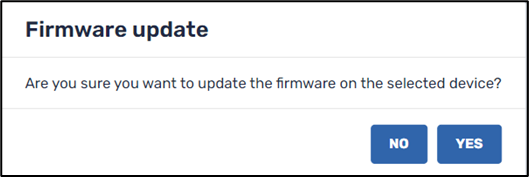
2. Click Yes to perform a firmware update on the selected device.
Note: Not all devices allow you to perform remote firmware updates. If the Radix Device Management Platform cannot perform a firmware update on a device, you will receive a “Command failed” message:
