Overview
The Radix Device Management Platform allows you to create a library of commands, referred to as “Repository Actions”. These include commands such as Advanced Messages, Install Packages, Send Files, Apply Kiosk settings, and more. You can create and store them in the Radix MDM. Whenever you wish to employ one of them, you simply choose the device, select the desired Repository item, and apply it.
These Repository items will have tiles with editable settings. You can adjust the color of the tile, change the icon displayed, pin it to the top of the screen for easier access, and more.
Editing Repository Item Tiles
Depending on the command, the tile will have either five or six Repository Item editing options. For example, the Install Package repository option has the following appearance, with five editing options:
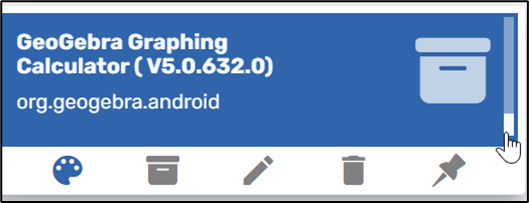
Sample Install Package Tile, with five editing options
On the other hand, the Kiosk repository item has the following appearance and six editing options:
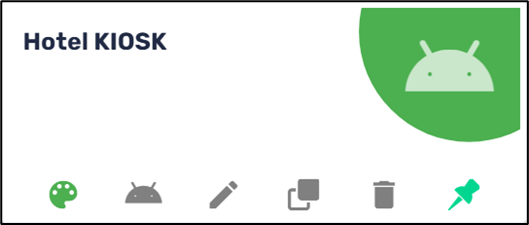
Sample Kiosk Tile, with six editing options
| Icon | Description |
|---|---|
| Pick Color | |
| Pick Icon | |
| Edit | |
| Clone | |
| Delete | |
| Pin to Top |
We will go through the options in detail:
Pick Color
The Pick Color palette icon allows you to set a color for the package to be installed, to distinguish this particular package from the others.

Pick Icon
Clicking on the Pick Icon symbol allows you to set an icon for a particular command tile, instead of the default “Control Panel” icon.

Edit Icon
Clicking on the Edit icon will allow you to edit the data in the particular command.
Clone
This allows you to create a duplicate of a particular Repository item tile.
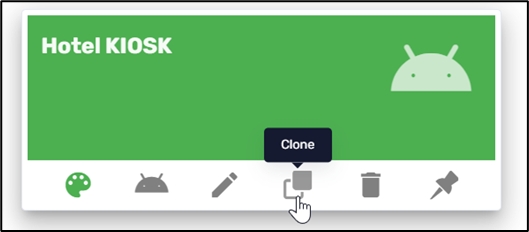
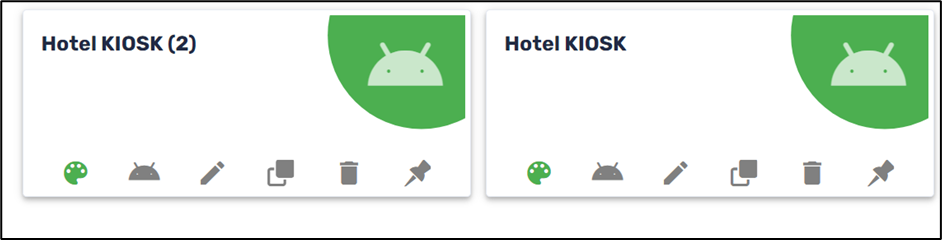
The clone will receive the same name as the original setting, with the addition of the suffix (2):
Delete
This allows you to delete the particular tile.

You will receive a prompt to verify if you are sure about deleting the tile:

Pin to Top
This option allows you to pin the command to the top of the Install Package screen for easier access. This is handy if you want to install an app on many devices.
